Find duplicate folders and files with precision, privacy, and full control.
Direct download includes a notarized macOS app, in-app updates, and MCP capabilities for advanced AI and automation integrations.

Folders & Files
exact matching
100%
private & secure
Zero
cloud uploads
Built for your workflow
Designed for Mac users who want local scanning, explicit review, and safe removal.
Who this is for
Built for photographers, creatives, and power users dealing with clutter across internal SSDs, external drives, and backup folders.
What problem it solves
Quickly surface exact duplicates while filtering regenerable noise from creative, gaming, and engineering toolchains.
What you get
Reclaim space safely with byte-for-byte matching, clear groups, and Move-to-Trash cleanup under your control.
Manual cleanup
Slow and error-prone when filenames differ but content is identical across drives and archives.
unclutr files
Byte-for-byte detection with grouped review and safe removal flow, so you can clean with confidence.
What users say
"Cleaned 40 GB of exact duplicates across three external drives in under 10 minutes. The smart exclude rules saved me from touching cache files."
App Store Review
"Finally a duplicate finder that respects privacy. Everything stays local and the review-before-delete flow gives me confidence."
App Store Review
"The MCP integration with Claude is brilliant. I can ask my AI assistant to scan folders and review duplicates right from the chat."
Direct Download User
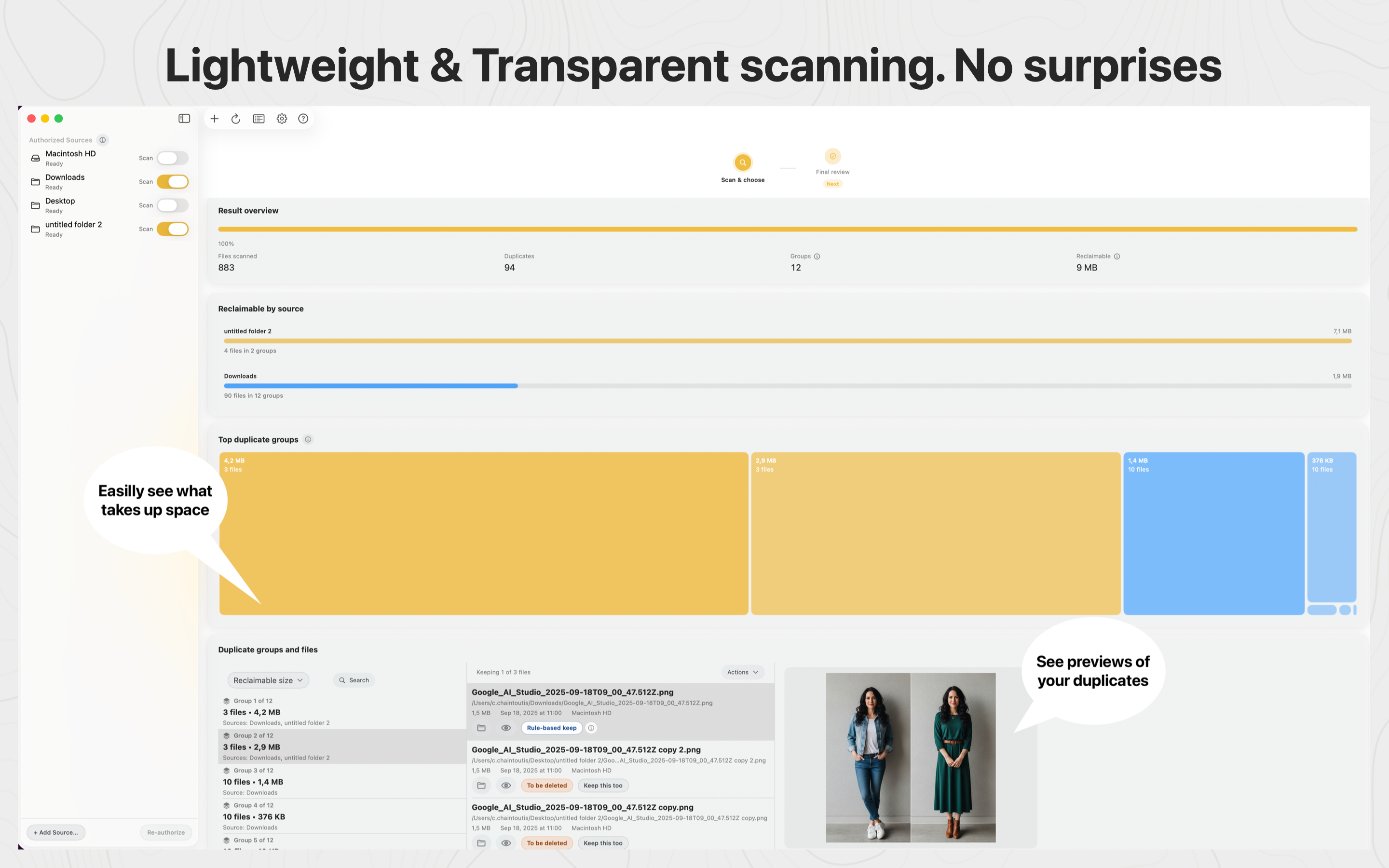
Product preview
Built for clarity on Mac: grouped duplicates, fast review, and safe cleanup with full control.
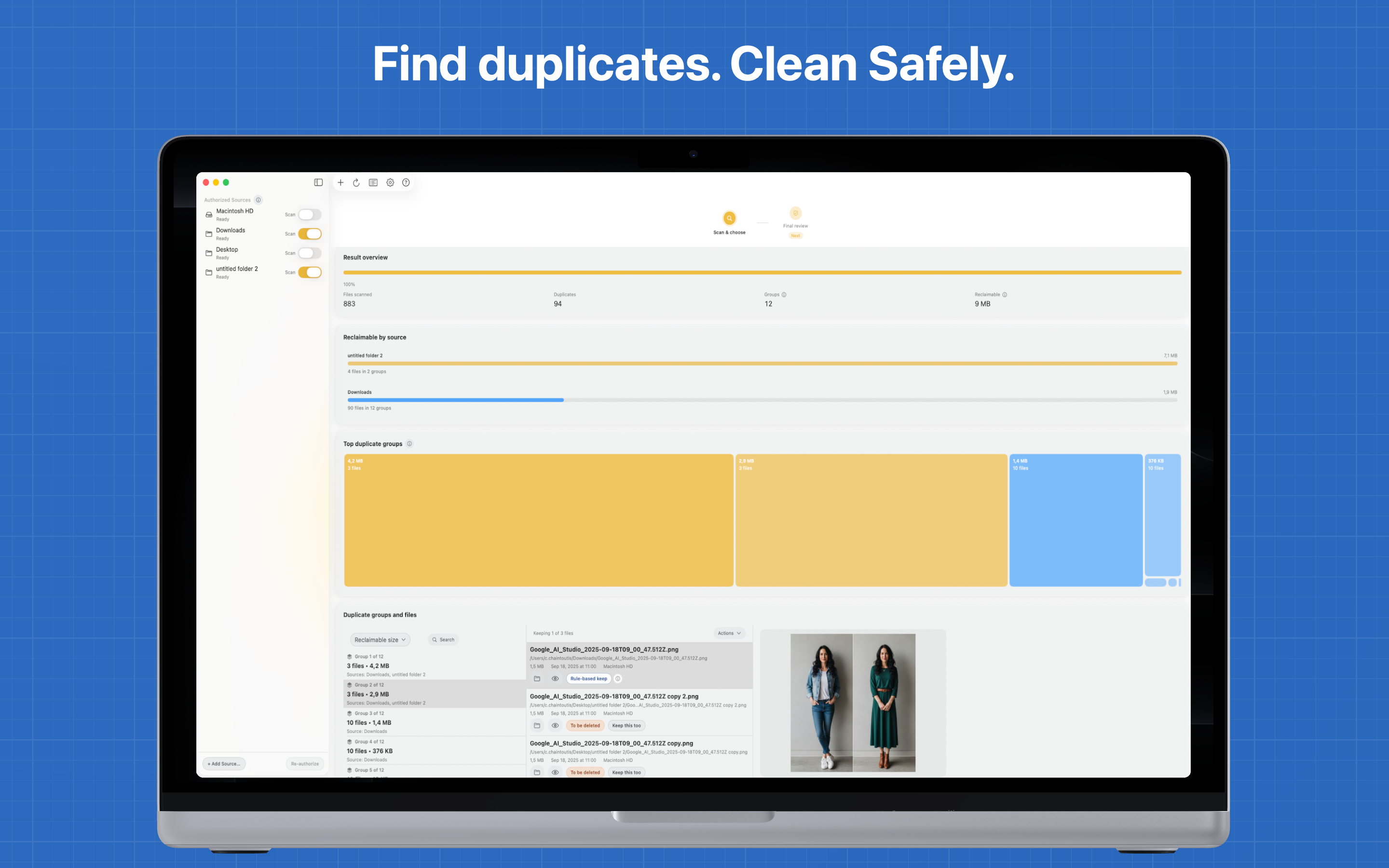
Desktop-first duplicate cleanup
Identify what to keep and what to remove across drives and folders, all on your Mac.
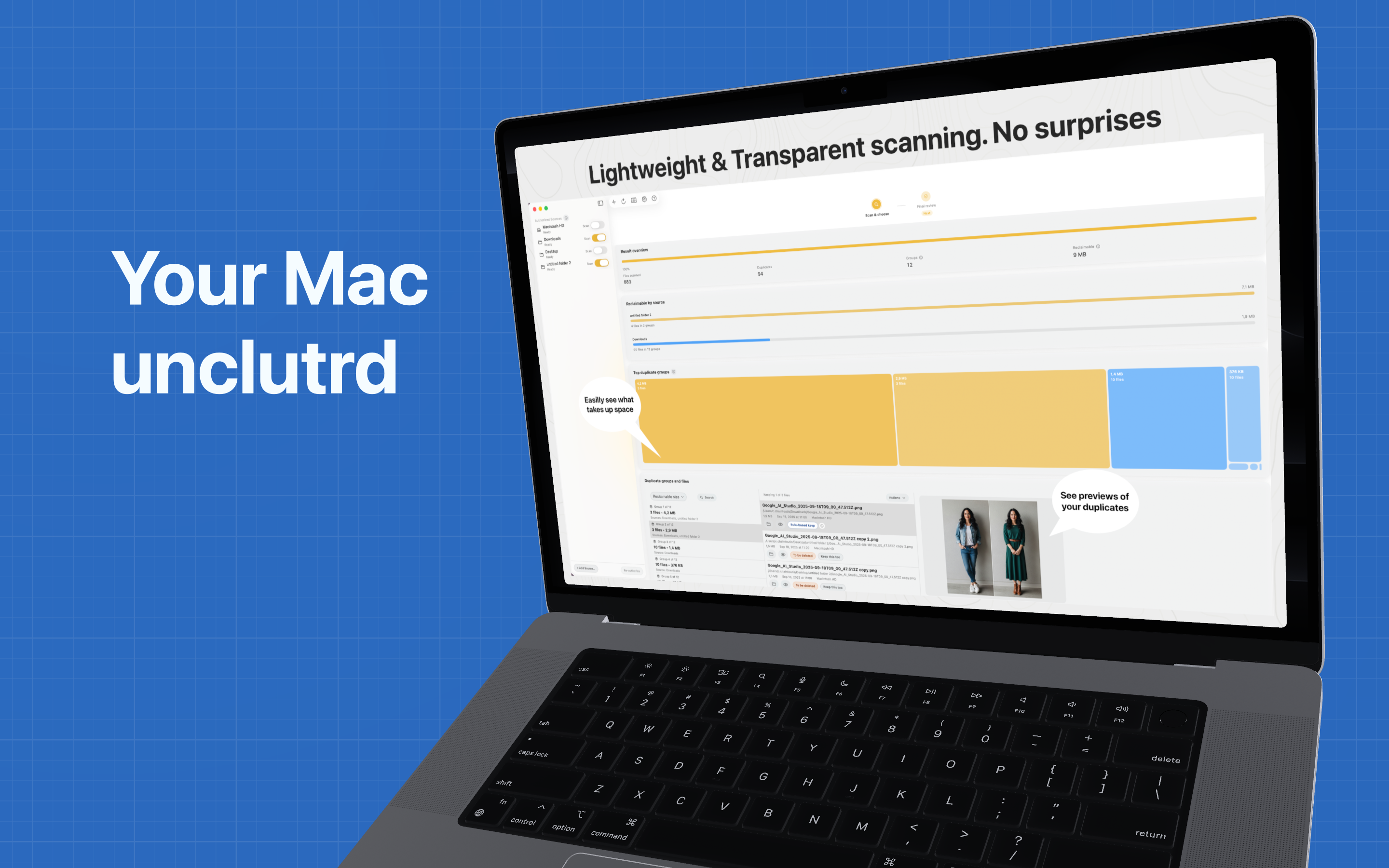
How it works
No guessing, no false positives. Every match is byte-for-byte identical.
Unclutr Files finds exact duplicates only—files that are identical byte for byte. Not “similar” or “lookalike.” No false positives.
All scanning happens on your Mac. No cloud, no uploads. Your files never leave your machine.
Unclutr Files uses the Mac App Store sandbox. You choose which folders to scan via the standard macOS file picker. No broad disk access—only what you explicitly approve.
Who benefits
From photographers to developers, unclutr files fits into your existing workflow.
Clean duplicate imports after moving shoots between SD cards, external drives, and archive folders.
Clean up duplicate downloads and clutter in your Downloads folder.
Deduplicate files across external drives and backup volumes.
Find exact duplicates in Time Machine or other backup folders.
Intelligent filtering
Automatically skip regenerable caches and noise so scans stay focused on files you actually manage.
Skip generated previews/caches/proxies from tools like Lightroom, Capture One, Photoshop, Final Cut Pro, DaVinci Resolve, Premiere, and common audio DAWs.
Ignore common regenerable gaming shader and launcher caches so scans stay focused on files you actually manage.
Exclude generated artifacts and cache paths common in Blender, Houdini, Maya, Unreal, and Unity workflows.
Skip package, model, and dataset caches often created by pip, conda, Hugging Face, Torch-style, and similar environments.
Filter large generated cache directories from engineering and CAD toolchains so duplicate review stays practical.
Add your own extension and pattern rules to keep low-value files out of scans from the start.
Safety first
✓ App Sandbox enabled. No broad disk access.
✓ You pick folders via the standard macOS file picker. Transparent and explicit.
✓ Deletion is Move to Trash only. No permanent delete. You can undo.
✓ Coverage logs show exactly what was scanned and what was skipped.
unclutr files helps you find and remove exact duplicates with full privacy and local control. Download and scan in minutes.
Available on the Mac App Store and as a direct download.